

 Your world
 Chat
 Download
 Docs
 Wiki
 Patch notes
 Blog
Make progress feel rewarding.
Every coding agent you run brings out a pixel pet that farms your team's village while it works.
DownloadWorks alongside the coding tools you already use
- Codex
- Claude Code
- OpenCode
- Gemini CLI
- Cursor
- Muse
- Qwen Code
- Factory Droid
- Copilot CLI
Integration capabilities vary by tool and session. See compatibility details
Your agents work. Your world grows.

Build it your way
Harvests pay for buildings, paths, water and decorations. Place them anywhere on the map your team shares.
Collect pets
Catch wild pets in the town square, pin up to 4 in your party and level them up to 30. The rarer ones carry buffs.

Upgrade your world
Every decoration adds beauty. New beauty levels pay everyone Stardust and raise your town hall, which opens up more park and a bigger field.
All your agents. One readable chat.

Flitz · Claude Code · Working
The checkout test fails about one run in five. Can you find out why?
FlitzI'll run it in a loop first, so I can catch it failing.
2 tool calls1 failed
- Read tests/checkout.test.ts
- Bash pnpm test checkout --repeat 20
Flitz is working…
Chat · sample agents and pets. Try it: nothing you type leaves this page.
Every agent gets a pet
A new chat takes the first free pet in your party. It speaks for that agent here and farms your team's field while the agent works.
See who needs you
Working, waiting on you or done: every session shows where it stands, so you always know where to go next.

Keep the tools you use
Your sessions keep running in the tools you already use. Replying from Kinmo is experimental and for supported Codex and Claude Code sessions.
Step away. Your pets keep working.
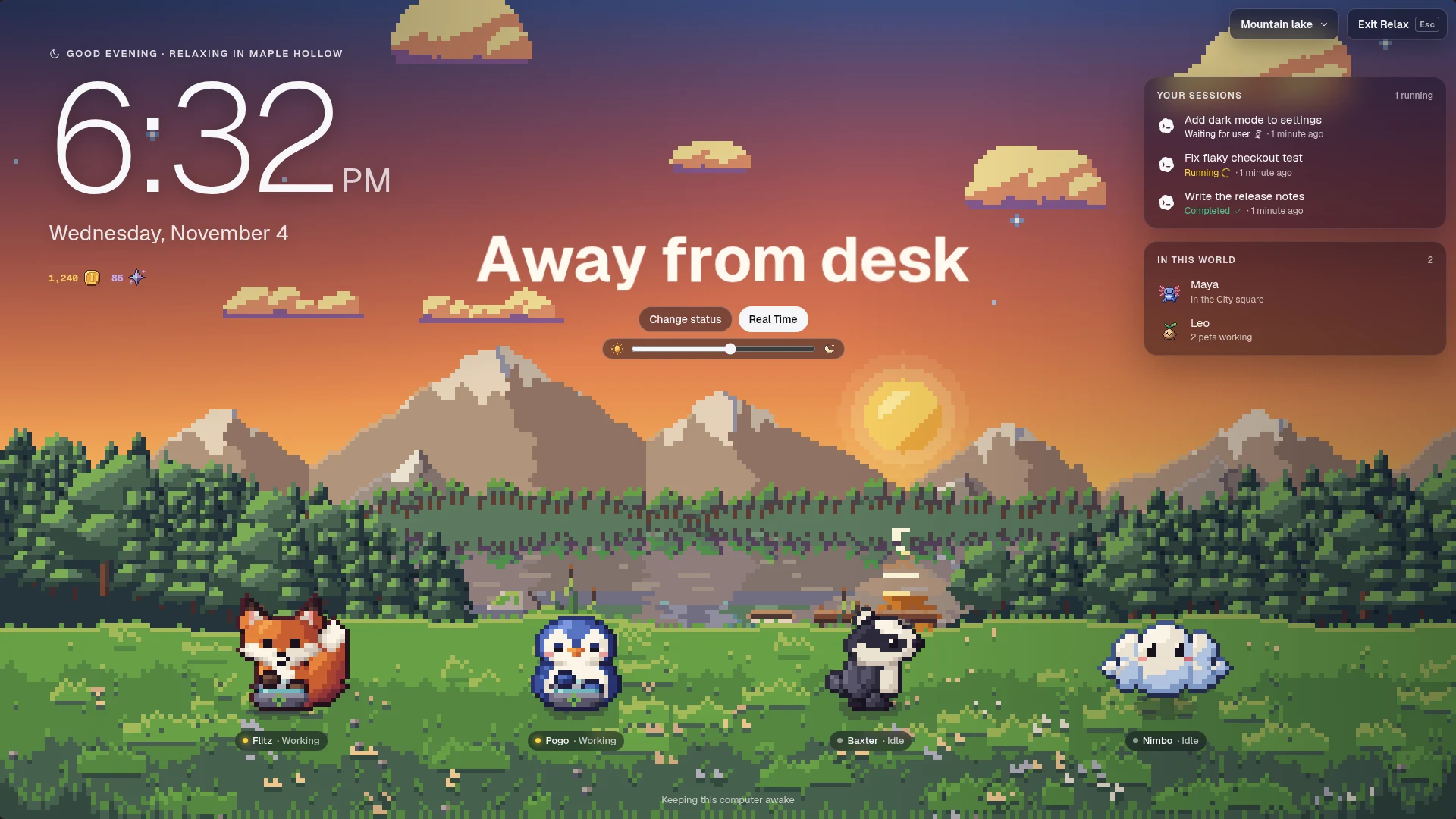

A scene worth leaving on
Relax fills your screen with a pixel landscape that follows your local hour: a farm village, mountain lake, city lights, seaside, snowfall or cherry blossom.
Everything at a glance
Your pets on the meadow, your sessions with the ones waiting on you first, who else is in your world, your coins and the time.

Away from your desk
Put up a status in big letters for anyone passing your screen. Kinmo keeps your computer awake until you're back.
Give your agents a world to grow.
Your first world is free for 4 players. Kinmo runs on macOS, Windows and Linux.
Questions, answered.
Does Kinmo replace my coding tools?
No. Kinmo adds rewards and shared goals around the work you already do. Your coding tools keep running in their native environments, with their own trust settings and approval flows.
Do I have to play the game?
No. Your pets farm by themselves while your agents work, and every harvest pays the whole team. Decorating, catching wild pets and dressing up are there whenever you want them.
Which tools can I connect?
Kinmo has integrations for Codex, Claude Code, OpenCode, Gemini CLI, Cursor, Muse, Qwen Code, Factory Droid and Copilot CLI. Observation capabilities vary. Messaging is experimental and available only for supported Codex and Claude Code sessions; the other integrations are observation only.
What can teammates see?
The overview starts with session metadata. You choose which work briefs and sessions to share. Conversations from your connected tools are collected for you once you allow observation; access for other people is controlled separately.
How do invite links work?
Opening an invite link in your browser opens Kinmo on that workspace's invitation, showing its name, members and your role. Nothing changes until you choose to join. If Kinmo is not installed, the page explains how to get it.
Can I download Kinmo?
Yes. Install the desktop app with one terminal command for macOS (Apple silicon), Windows (including WSL) or Linux. Builds are not code-signed yet: on Windows, choose More info, then Run anyway; on macOS, choose Open Anyway in System Settings › Privacy & Security.